Breeze ChMS Integration
Enabling Breeze ChMS Integration
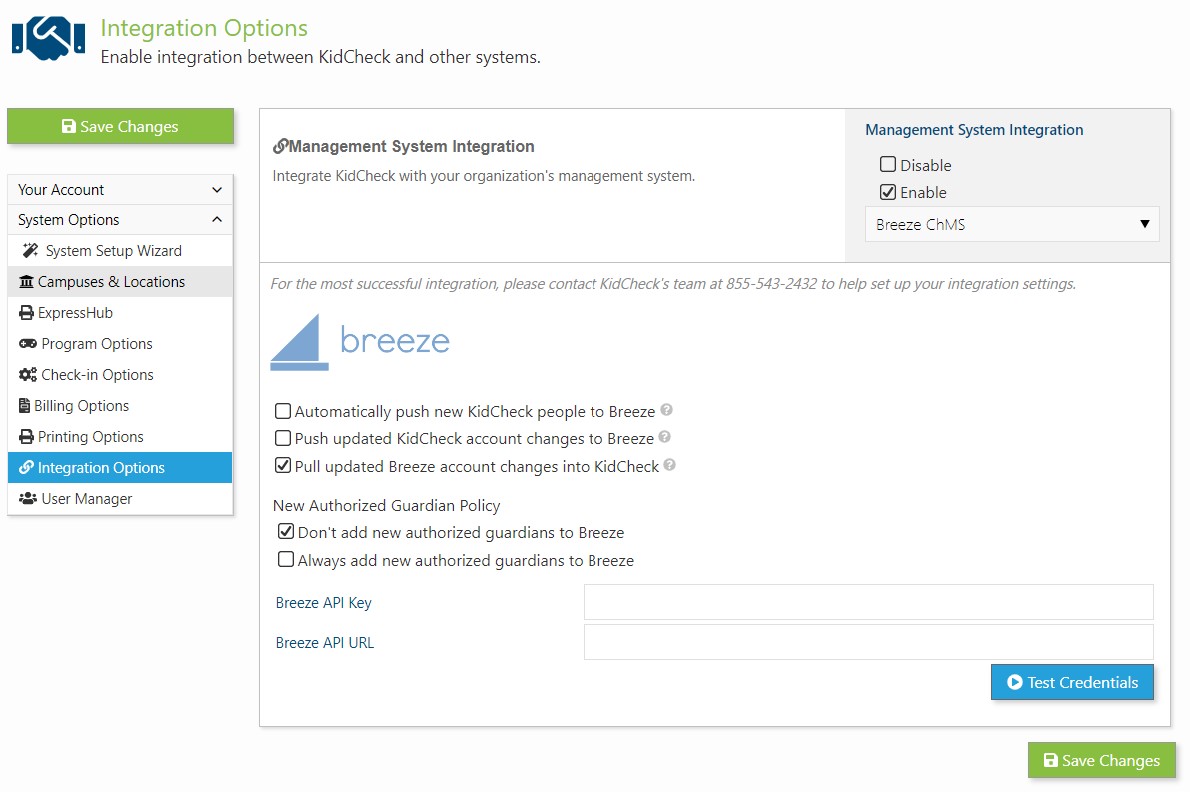
To enable Breeze ChMS integration:
- Login to go.kidcheck.com
- Navigate to System Settings > System Options > Integration Options
- Enable Management System Integration and choose Breeze ChMS from the list
- Select your desired integration options
- Input your Breeze API Key/URL and select the green Save Changes button
- Note: the Breeze API URL will be something like “https://churchname.breezechms.com”
Video Tutorial:
https://vimeo.com/239139759?utm_source=email&utm_medium=vimeo-cliptranscode-201504&utm_campaign=28749


